Example
Create · Image
Rows of lavender running to the horizon, painted in oil
Create
Describe it. See it.
Create follows long, detailed prompts: the light, the materials, what's in frame and what isn't. Then it keeps everything in your Library.
Examples on this page are for Fernway, a made-up bike repair business.
How it works
- Describe it in detailThe subject, the light, the framing and the mood. Add a picture to start from if you have one.
- Pick an app and make itPictures, edits or a short clip, each made with the app suited to it.
- Keep and refineEverything lands in your Library. Upscale it, edit one part, or animate it.
What Create makes
Example
▶ 0:04
Stills that move.
Animate a picture into a short clip, or describe a shot and move the camera.
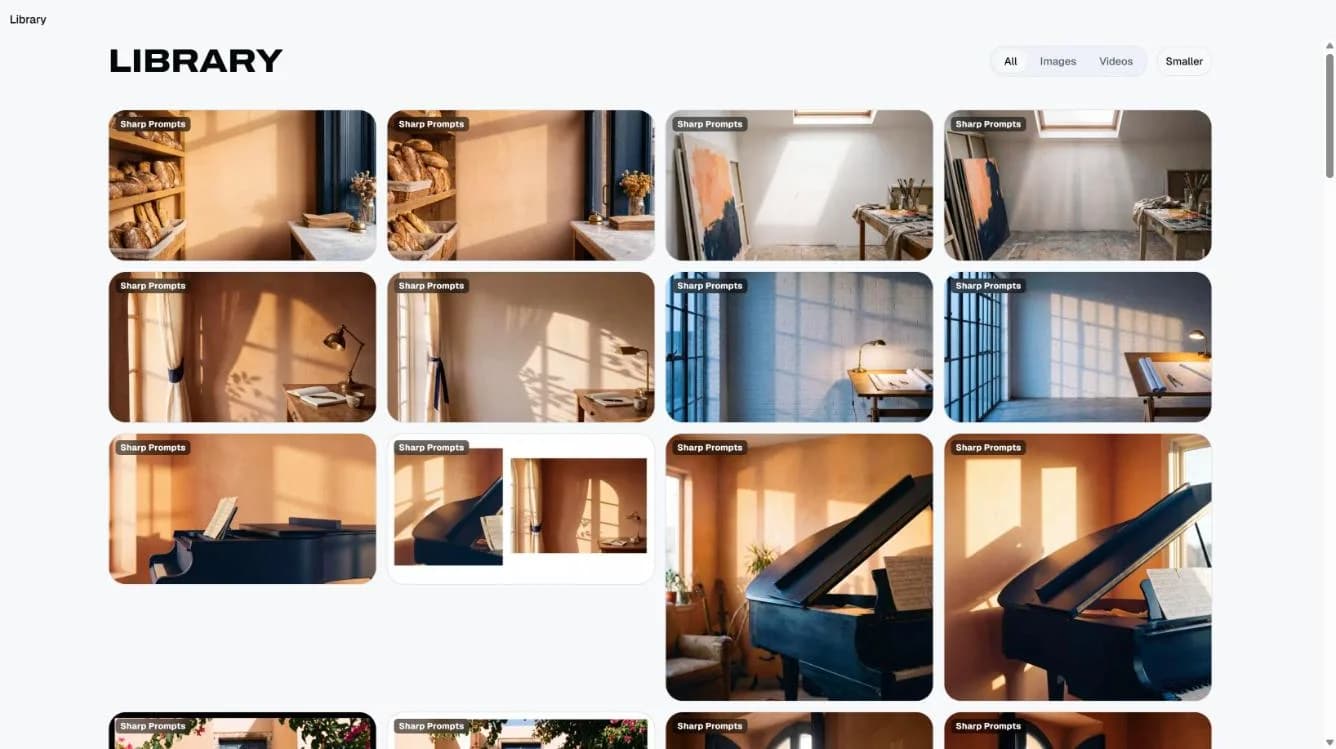
Everything kept in your Library.
What you make is private to your account and saved until you delete it. This is a real Library from the demo account.
What people make with Create
Pictures for your shop and socials
Pictures from a detailed description, kept in your Library, ready to upscale or edit one part of.
Try asking“A bright photo of a red city bike leaning on a shop window in morning light, room for text on the left.”See the example
A short clip from a still
A picture animated into a short clip, or a shot you describe with the camera moving.
Try asking“Animate this photo of a mountain road: the camera slowly rises over the trees.”See the example
Also in Create
- Upscale and editSharpen a picture to print size, or change one part of it without starting again.
- VoiceHave any reply read aloud in chat today. Songs and sound effects are coming to Create.
- Yours to useCreate runs on openly licensed models, so what you make is yours to use commercially.