Klyroe in the terminal
Klyroe, in your own terminal.
Ask for a change in plain words. Klyroe reads your project, edits files, runs commands and uses git, and asks before anything you have not allowed.
The session here is an example; the pictures further down are the real app. The install package is on its way, and the install steps will be on this page.
In this example, Klyroe signs in with a code, plans the change, sends a read-only helper to find the greeting, asks before writing src/greet.js and before running the tests, then reports that the tests pass.
Sign in with a code
Run klyroe login. It opens klyroe.ai in your browser and prints a short code. Check that the browser shows the same code, approve, and the terminal is signed in. No password is typed in the terminal.
klyroe logout revokes the token at klyroe.ai and deletes it from your computer.

Edits, commands and git, when you say so
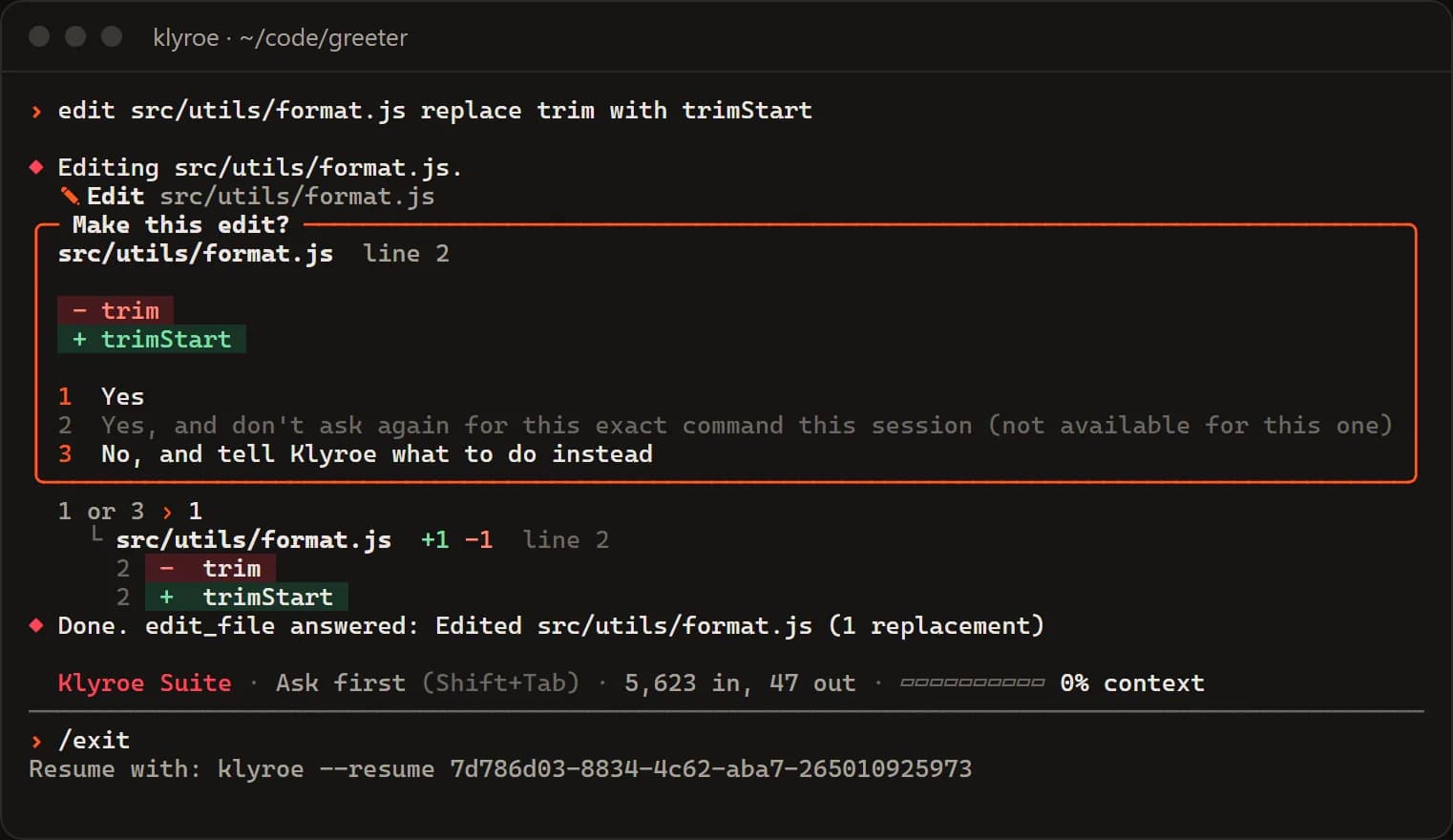
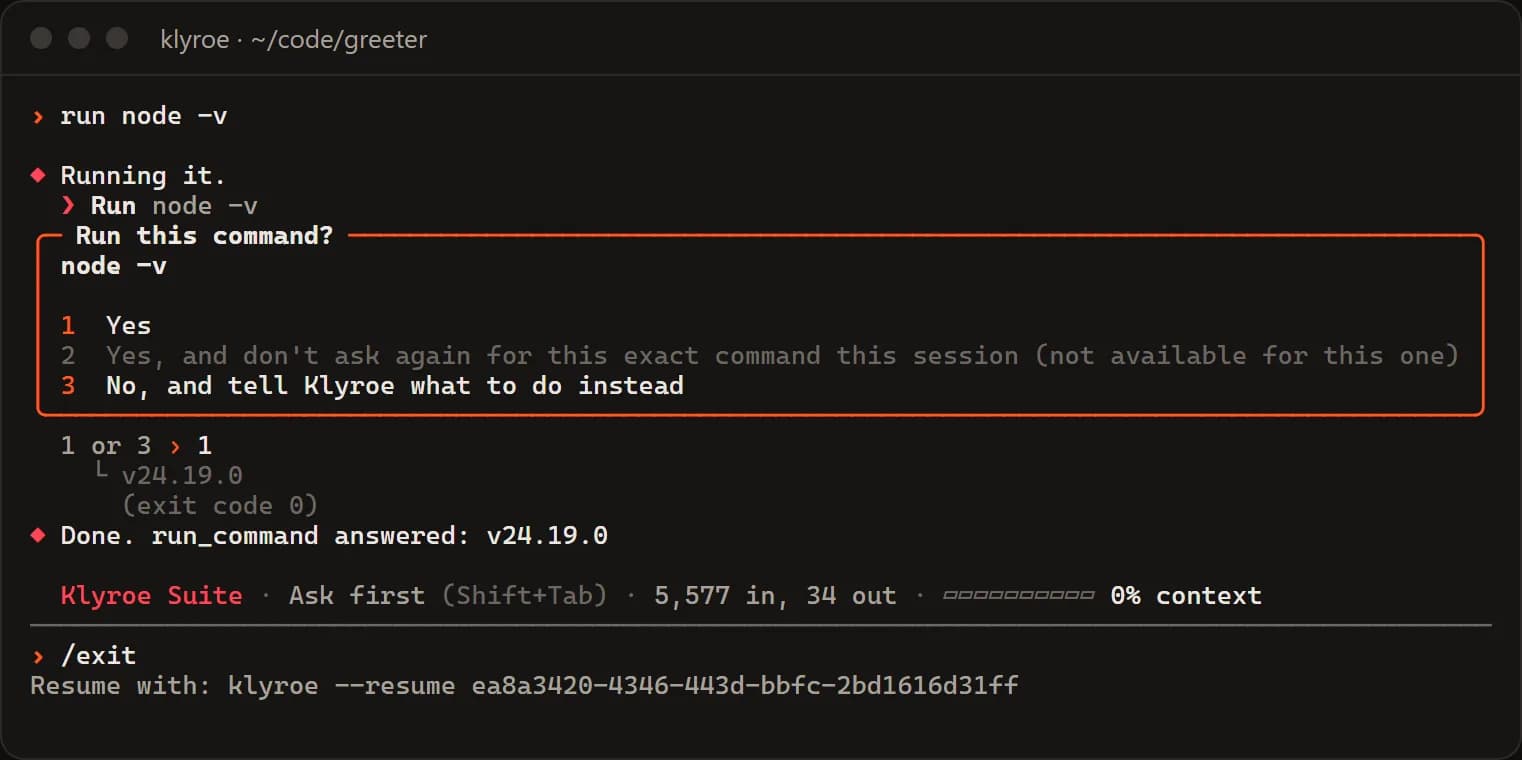
Ask in plain words. Klyroe reads your files, then shows each edit as a numbered diff and each new file as a preview before it writes. Commands show exactly what will run.
To answer, Klyroe sends the parts of your files and command output it needs to klyroe.ai and our model providers. See the Privacy Policy.
It has its own git tool: reading history runs, commits follow your mode, and push, pull, reset and rebase always ask.
You choose how much it asks
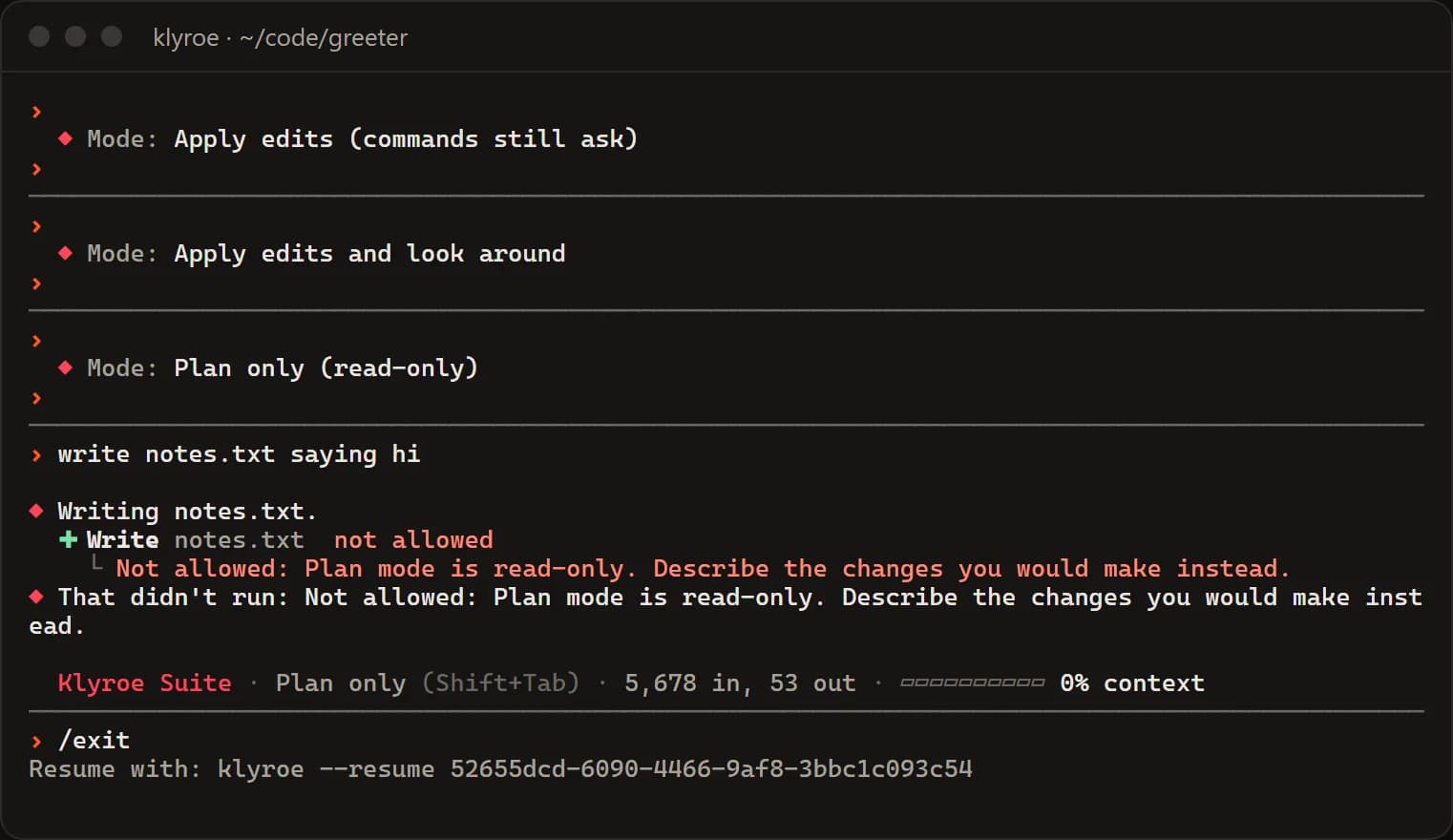
Shift+Tab moves through four permission modes. The status line under every answer shows the one you are in.
- Ask firstThe default. Reads run; edits and commands ask.
- Apply editsEdits apply; commands still ask.
- Apply edits and look aroundEdits apply, and look-around commands such as ls and cat run without asking.
- Plan onlyRead-only. Klyroe describes the change instead of making it.
Protected files always ask
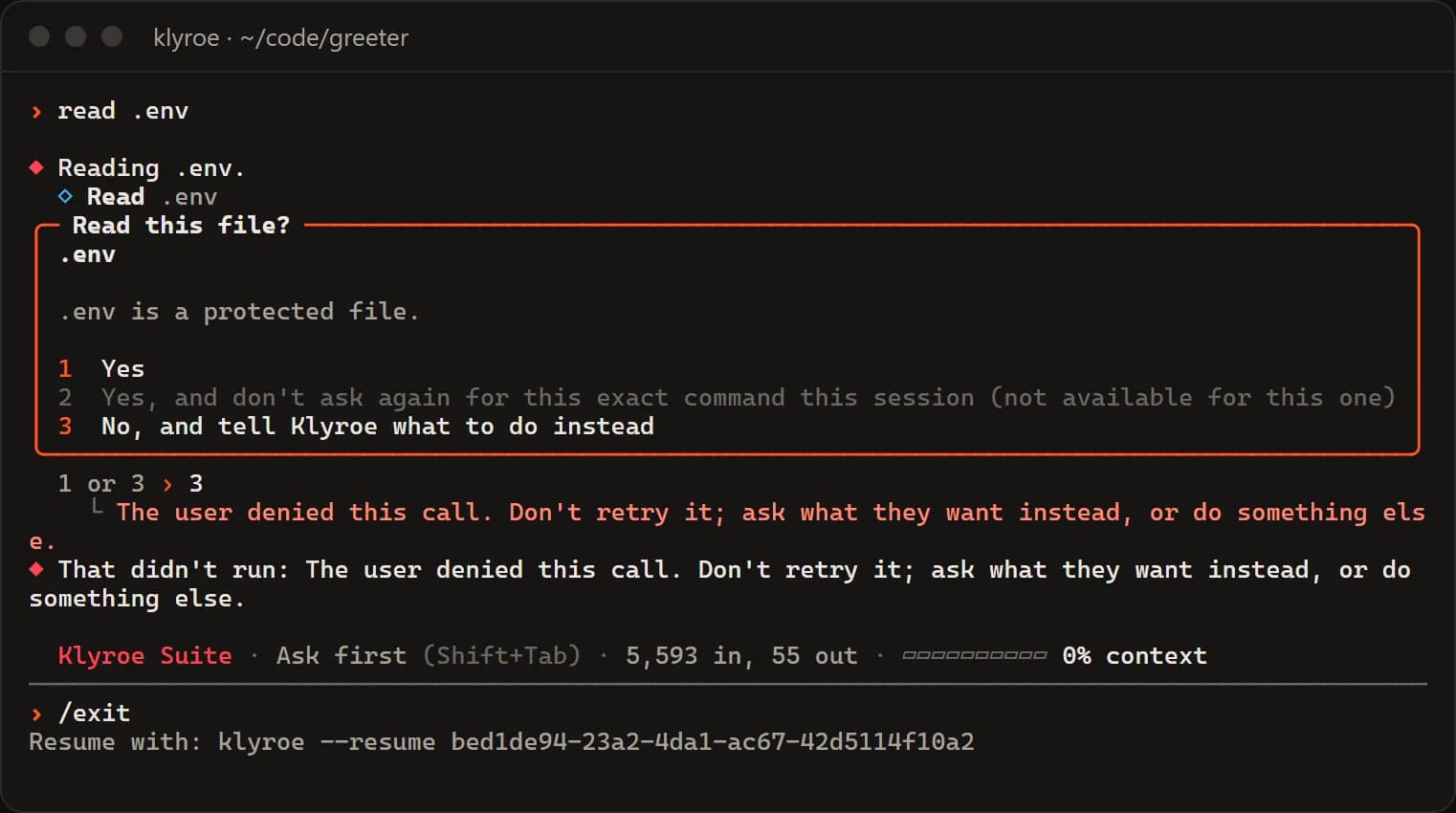
When Klyroe reads or changes .env, keys, .git or CI config, or runs a command that names one, it asks first, in every mode. So does a file you mention yourself if it is protected.
Deny rules in your settings go further, such as git:push or read_file:secrets/**. A deny rule wins over any allow rule.
A Plan card, and a helper that only reads
For bigger jobs Klyroe keeps a Plan card that ticks itself off as it goes.
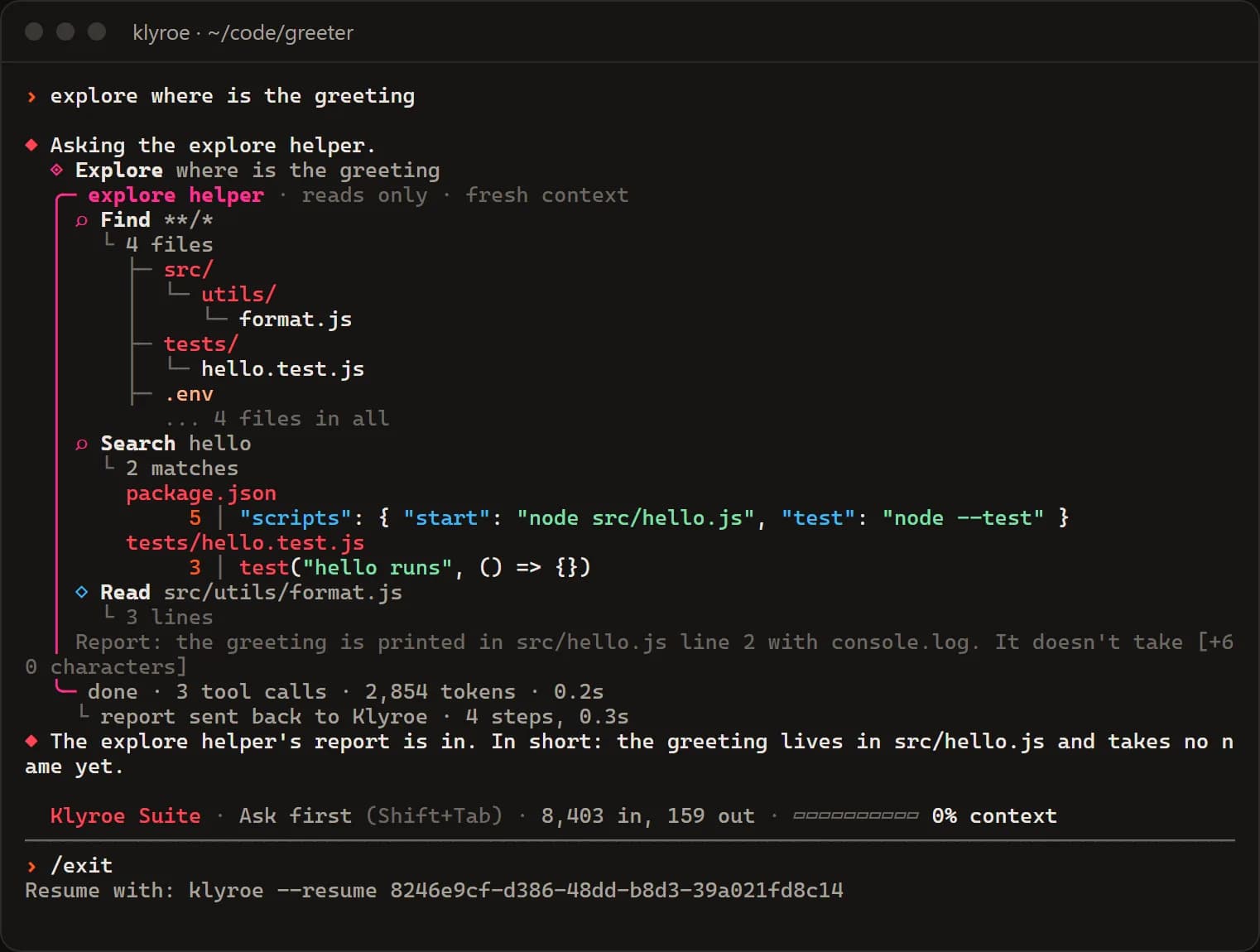
For broad questions it sends a read-only explore helper. Its steps are drawn under it, it can read, list and search and nothing else, and only its report comes back. A protected file it wants still asks you.
Shortcuts at the prompt
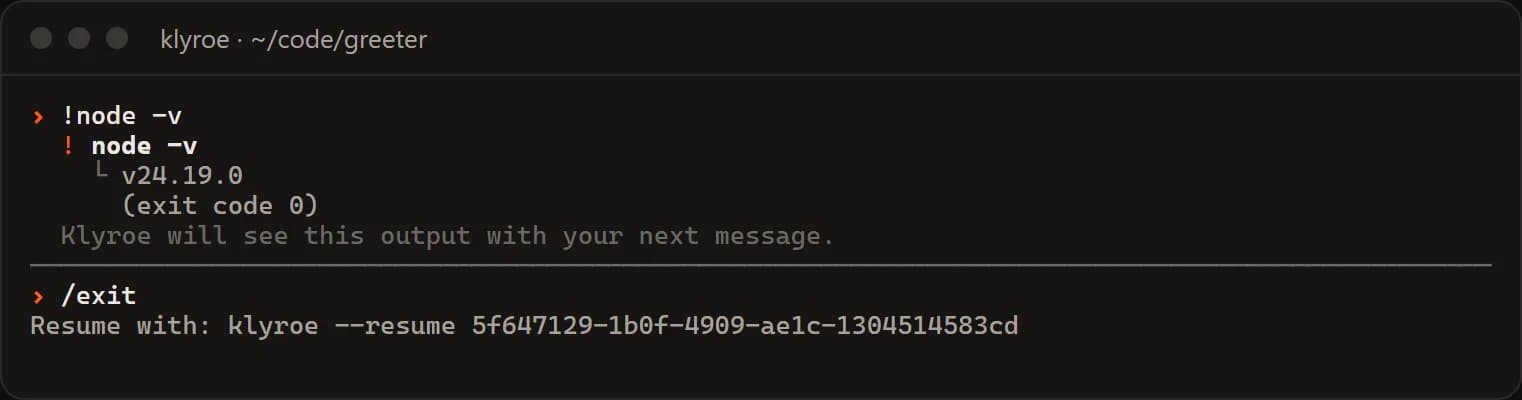
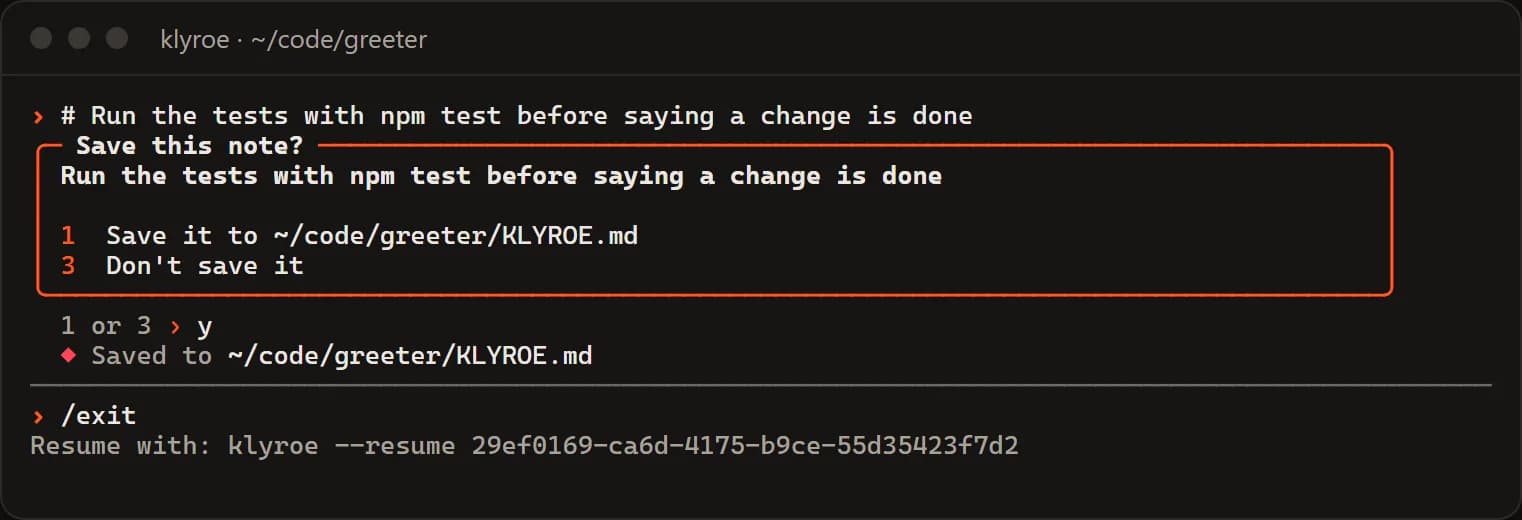
@path attaches a file to your message, and Tab completes paths and commands. !command runs a command yourself, and Klyroe sees the output with your next message. # note saves a line to KLYROE.md after you say yes.
Pasted text is always a message, never read as a command.
Commands for long sessions
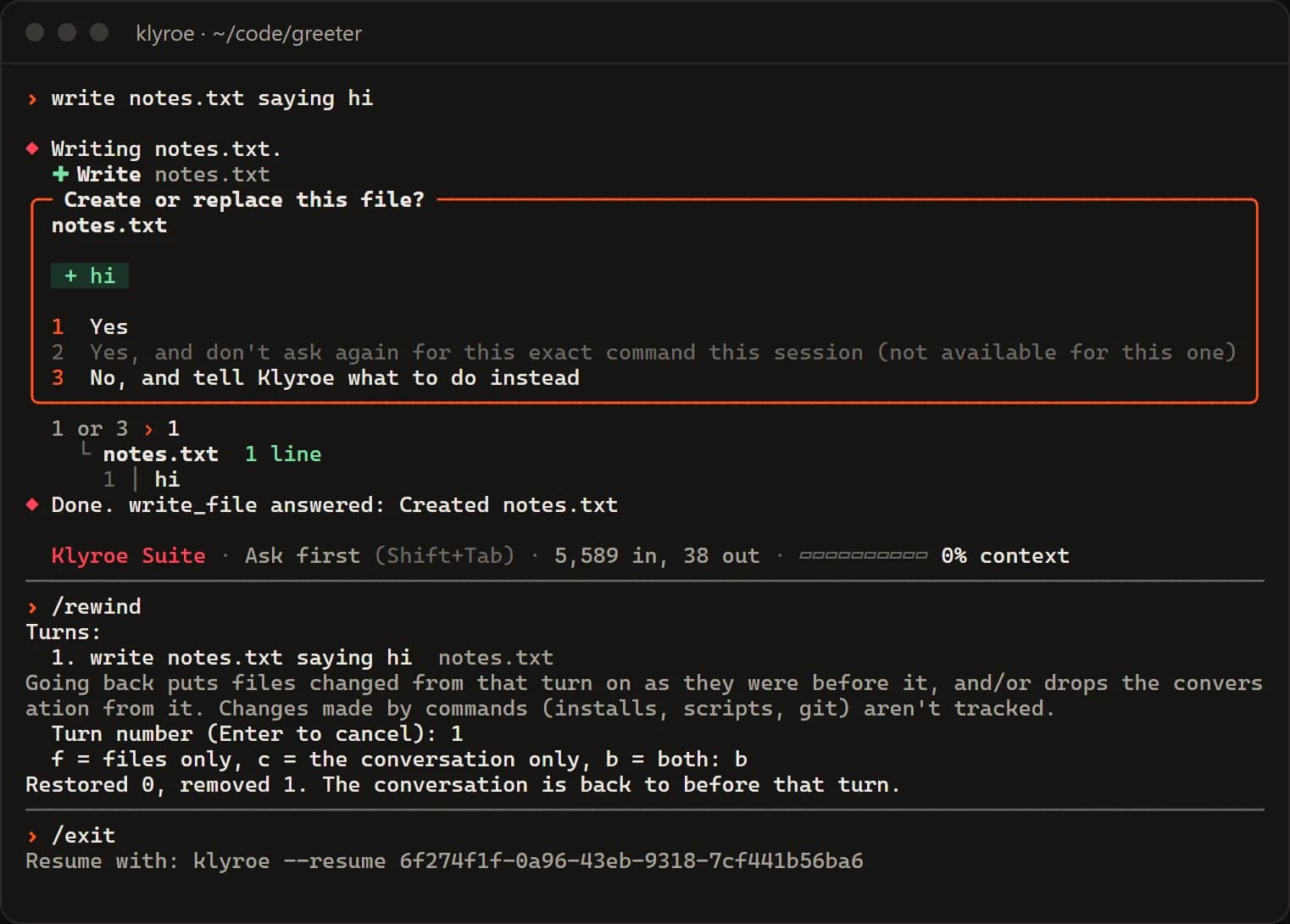
/rewindGo back to before a turn: the files its edits changed, the conversation, or both./compactSummarize the conversation to free room. It also runs on its own near the limit./contextSee what is using the model's window, with hints./exportSave the conversation as text in the project. It never replaces a file./copyPut Klyroe's last answer on the clipboard, where your terminal allows it./initHave Klyroe write a KLYROE.md for the project. Writing it asks first./doctorCheck Node, the site, sign-in, git, settings and the terminal.
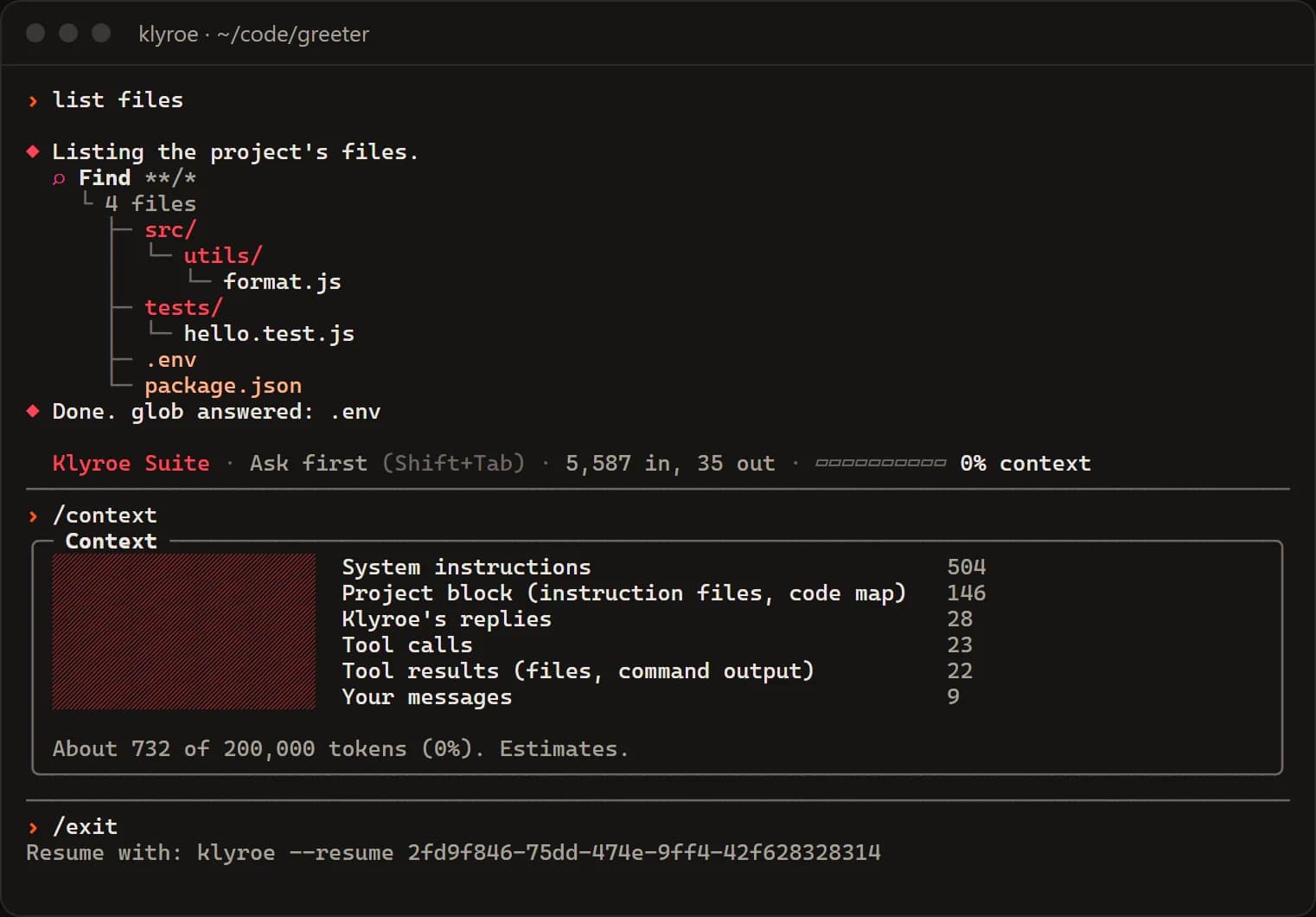
Sessions you can come back to
- Pick up where you left offEvery session is saved for its folder. Leave with /exit and Klyroe prints the line that resumes it.
- Find one by name/rename names the session you are in, and /resume <name> finds it later. klyroe sessions lists them.
- Kept on your computerSessions are saved in your home folder, with access limited to your user account, and deleted after 30 days without changes.
- Delete them yourselfklyroe sessions rm <id> deletes one session, and klyroe sessions rm all deletes them all.
Your project's own instructions
- Trust the folder firstThe first time you run Klyroe in a folder, it asks whether you trust the folder's files. Until you say yes, its instruction files are not read.
- KLYROE.md, and the files you already haveKlyroe reads the project's KLYROE.md, and instruction files such as
AGENTS.mdandCLAUDE.mdif the project has them. Changing any of them always asks. - Klyroe reads instruction files that other tools also use, so a project's existing instructions keep working. Klyroe is not affiliated with, endorsed by, or sponsored by the makers of those tools. All product names are trademarks of their owners.
Learn more
Your project, your terminal, your say.
Works on every Klyroe plan, including Free, within its usage limits. Needs a Klyroe account and Node.js 22.18 or newer. Check what Klyroe changes before you rely on it. Commands can reach files in ways Klyroe can't always see, so keep real secrets out of folders you work on with any AI tool.